What’s on this shelf
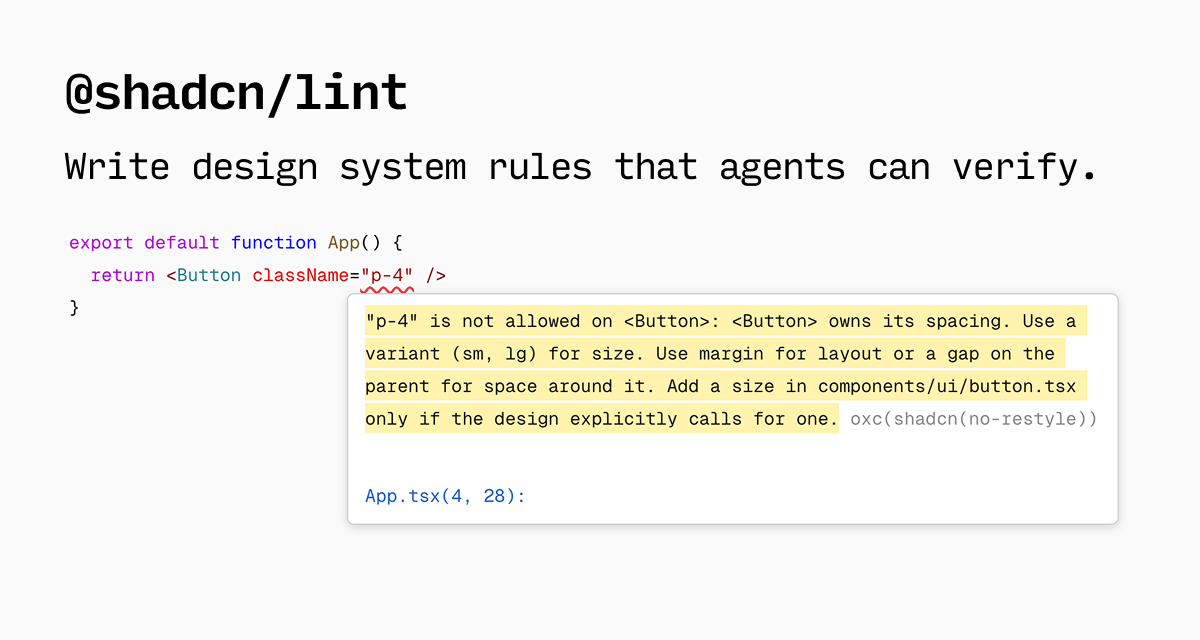
Write rules that describe which classes, variants, and components agents may use. When a rule breaks, the error points back to the fix inside your theme and component set.
A good fit for
Stop agents from inventing padding and colors that drift from your design system.
Worth knowing
You author the rules. Without them, the linter has nothing opinionated to enforce.
Getting started with shadcn/lint
For a React project using Oxlint, the upstream setup requires Node.js 20.19 or later and Oxlint 1.80 or later. Add the plugin, then enable the rules your design system needs.
npm install -D @shadcn/lint oxlintA small rule to start with
In your Oxlint configuration, register the plugin and enable its arbitrary-value rule:
{
  "jsPlugins": ["@shadcn/lint"],
  "rules": { "shadcn/no-arbitrary-values": "error" }
}
Illustrative case: p-[13px] should be flagged by this rule. Replace it with a spacing token that actually fits your system, then run npx oxlint. This is a documented setup example, not a benchmark performed by UI Finds.
Read the full upstream setup, including ESLint and framework-specific differences. For an additional agent review, explore UI design skills.
Documentation checked October 1, 2026.Using it with your agent
These are upstream resources for this tool. Choose the one your workflow needs.
shadcn/lint repositoryDOCS